Difficulty: Intermediate
Estimated completion time: 50 minutes
There are web-based generators for almost everything; stripes, buttons, forms, loader icons, etc.
CSS Arrow Please focuses on another niche; yes, totally CSS-based (no images) arrows.
This CSS trick is great for using in tooltips, the generator offers multiple options for customization (the position, color and border values) and auto-creates the related CSS code.
Website: http://cssarrowplease.com/
The wireless range offered by your router will vary depending on which Wi-Fi standard it supports - is it 802.11g or 802.11n compatible? - and whether there are any walls around as that will obstruct the Wi-Fi signal.
The 802.11n routers, also known as Wireless N routers, typically have a higher Wi-Fi range but even if you get one of these, the wireless signals may still not reach certain areas of your home - like the corner study or the bedroom on the first floor – as there are just too many obstructions in the form of walls between your laptop and the router.
What should you therefore do to ensure that the Wi-Fi signals are available in full strength in every corner of your house?
You can easily extend your Wi-Fi network with some additional hardware - like Wi-Fi repeaters and Wireless Access Points - but if you want to save a few bucks, just get hold of an old wireless router that you no longer use and connect it to your existing router using an inexpensive Ethernet cable.
Lời đầu tiên xin được phép thông báo: đây là phần mềm android dành cho Playbook OS 2 beta nhé các bác. OS 1.x thì tạm thời phải đợi thôi.
Trước tiên các bác down cái này về : Lac Viet Tu Dien ( Full) và Files And Folder 3.0.2 rồi tiến hành theo các bước sau:
1. Giải nén ra đc 2 file : LVTD.bar và svox.langpack.installer_1.0.1.bar
Sau đó down Data về : http://www.mediafire.com/?mq6dz0mt689tmpq (thanks bác iamkingvn )
2. Giải nén Data ra đc 3 files : eng-vie.db, vie-eng.db, vie-vie.db
3. Tiếp theo dùng DDPB Installer 1.08 hay vnbbUtils 1.1 cài LVTD.bar, svox.langpack.installer_1.0.1.bar vàFiles And Folder vào PB, xong rồi chép 3 files : eng-vie.db, vie-eng.db, vie-vie.db vào một thư mục bất kì trong PB (lúc copy = cáp thì PB nó ko cho chép ra ngoài thư mục gốc của ổ đĩa, các bạn chép đại vào một thư mục nào đó (books chẳng hạn) ).
4. Xong rồi khởi chạy LacViet lần đầu tiên, đợi nó load hết rồi thì tắt đi :
Dưới đây là danh sách các phần mềm và games dành cho Playbook do công đồng Blackberry Việt Nam chia sẻ. Các bạn chú ý danh sách này bao gồm vừa Android Apps cho Playbook và cả Native Apps nữa nhé. Bạn nào vẫn chưa up lên Beta OS thì chỉ cài được Native Apps mà thôi. Link download nằm ở đây nhé:
Like many fans of windows 8, I’m so excited to touch the Metro UI of windows 8. But at this moment, the only way to experience is downloading the Beta Preview version of Windows 8. And for some reasons, I’m too lazy to do that. But that’s not the end of the way, ‘cause we still have some things to work around this problem. The first thing I do is create a Metro style desktop start page by using Rain Meter. And finally I think I can feel satisfied for this try:
A few months ago I created a Rain Tutorial: Ronin but I wasn’t convinced with the final result and wanted to create a better-looking effect. After some research and using: noise, motion blur, custom brushes and blending modes we can create a great final result and the effect is surprisingly easy to achieve.
CSS and HTML are key languages to begin with, when you decide to invest your time in web design and development. They are powerful languages and most of the time may seem simple to work with.
However, every single one of us, beginners, or advanced developers, have committed basic or major mistakes working with both these languages. With this in mind, I believe it is extremely important and always welcome to learn some good tips and practices which I hope will help you improve your skills and experience.
These days after using Google Chrome for a few months, I decided to change back to use Firefox 4 again because some add-on are not available in Chrome. Although I think Chrome is faster and smoother than Firefox 4 but I have to confirm that the really power of Firefox comes from it’s add-on store.
But it’s not the matter I want to share in this post. The problem I’m considering today is the error thrown by MS Outlook 2010 when I click any link or address from emails after I uninstalled Google Chrome. And it’s easy to get angry with the error like this: “This operation has been cancelled due to restrictions in effect on this computer”. And no more words, I’ll show you the solution right here!
If you received this error after uninstalling any application that takes over the HTML open command (including, but not limited to, Chrome & Firefox browsers) you may also need to change the HTM/HTML association in the registry.
Repeat these steps for htm and .shtml keys if they exist. You may also want to check the xhtml and xhtm keys.
Source : Slipstick
These day I was stuck in using ModalPopupExtender control of ASP.NET to display Youtube Embed video window. It seem to work perfectly in IE and FF, but not Safari on Mac PC. I suddenly found this post on webresourcedepot.com and may be I will try to use in my website. If anyone has used it for that purpose please leave a comment to me!
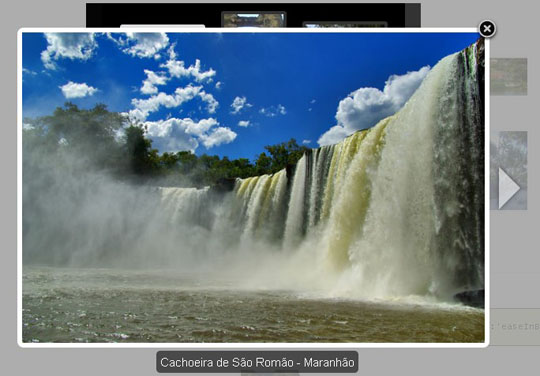
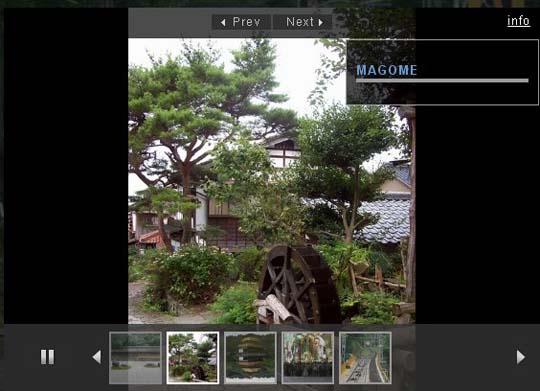
TinyBox2 is the successor of the previously published resource TinyBox which is a standalone JavaScript modal windows library.
The library is lightweight (5kb) and supports images, iframes, HTML and Ajax requests natively.
Modal windows are very flexible with the options like toggle animation, auto-hide, opacity level, custom positions and more.
And, they can be closed by simply clicking on the close button, anywhere outside the modal box or ESC.
There are callback functions for the open + close events and the windows can be set to load in a specific size or the width/height (auto) of the content to be displayed.
Requirements: No Requirements
Compatibility: Tested in IE7+, FF, Chrome, Opera, and Safari
Website: http://www.scriptiny.com/2011/03/javascript-modal-wi...
Demo: http://sandbox.scriptiny.com/tinybox2/
I tried to install SQL Management Studio Express on Windows 7 professional x64. But An error code 29506 encountered and installation failed and roll-back.
This problem is caused when UAC enabled. The main problem with MSI files is that you cannot right click it and “Run as Administrator” to bypass UAC validation. To solve this problem, Either you have to logged-in as Default Administrator account or disable UAC.
Exception: error code 29506
Solution:
1. Run CMD as Administrator and Approve the UAC prompt.
2. Type the full absolute path of the MSI file, Such as:
c:\SQLServer2005_SSMSEE_x64.msi
3. Follow your screen instruction and that it.
Applies To:
* Windows Vista x64 editions
* Windows 7 x64 editions
CMD.EXE Path: C:\Windows\SysWOW64
Source: http://jamboreebliss.com
This page has a file upload. However, the form tag does not have both the enctype=multipart/form-data and method=POST attributes. The file will not be uploaded.Hmm... I thought about it a bit, and then looked at a normal page I had that had file upload controls on it. Sure enough, the form tag (there is always just one in ASP.NET) had the enctype attribute set automagically by ASP.NET if ASP.NET knew there was a file upload control on the page. Otherwise, it leaves it off. The Async update by the UpdatePanel was loading the FileUpload ok, but wasn't adding the enctype=multipart/form-data to the form tag attributes.
Page.Form.Attributes.Add("enctype", "multipart/form-data");
There are many ways to page data in a DataList control or Repeater control in ASP.NET. But I think the following solution is the easiest way to create a custom paging when working with a DataList or a Repeater control. You can modify to have the "Next" and "Previous" button as well as styling the current page number easily. This article is from http://itmanagement.earthweb.com and I hope it will help you sometimes!
using System; using System.Data; using System.Collections; using System.Web; using System.Web.UI; using System.Web.UI.WebControls; using System.Web.UI.WebControls.WebParts; using System.Web.UI.HtmlControls; using System.Data.SqlClient;
These day I'm stuck with the design for my current project due to lack of beautiful fonts for website. So I dug around and find this article on http://tympanus.net . This is not a new problem but sometimes we have to waste time in doing this. And then I find it very interesting to see my website with some amazing fonts by using @font-face with many font kits provided on Font Squirrel. That's it! No more words, check it out!
Windows Live Skydrive has been featured on MUO as one of the best services to come out of Microsoft for offering 25GB of online storage. Not only can you use it as a Picasa or Flickr alternative thanks to its integration withWindows Live Photos, but with a little preparation, you can also map it as a network drive (see SkyDrive in Windows Explorer) so you can use it as a file storing, syncing and sharing service.</FIRSTIMAGE="HTTP:> Gladinet and SDExplorer tools, but this is another way to map SkyDrive using the downloadable Microsoft Office 2010 Beta or one open-source utility.
The 50MB file size limit still applies but most personal files and documents that you own don’t exceed that size, correct? However, if you have huge files, you might want to consider otherstorage services.
So in order for you to see SkyDrive in Windows Explorer, you need to retrieve the unique location of each of your SkyDrive folders or Windows Live Photo albums which is generally something likehttps://abcdef.docs.live.net/yourcid/nameoffolder.
In that address, abcdef is actually a unique combination of six letters and numbers corresponding to your folder or album, while yourcid is the long ID code that appears in your URL bar after you log into SkyDrive. Nameoffolder corresponds to the name of your SkyDrive folder, of course.
So let’s go over how we can figure out the abcdef codes.